
The OpenClaw 2.0 release moves your sessions into SQLite
OpenClaw is open source software that hands an AI model small standing jobs across your accounts, the kind of chore where it watches a mailbox for vendor advisories and pings you on Telegram when one names a product you run. OpenClaw 2.0 is the largest update in the project’s history.
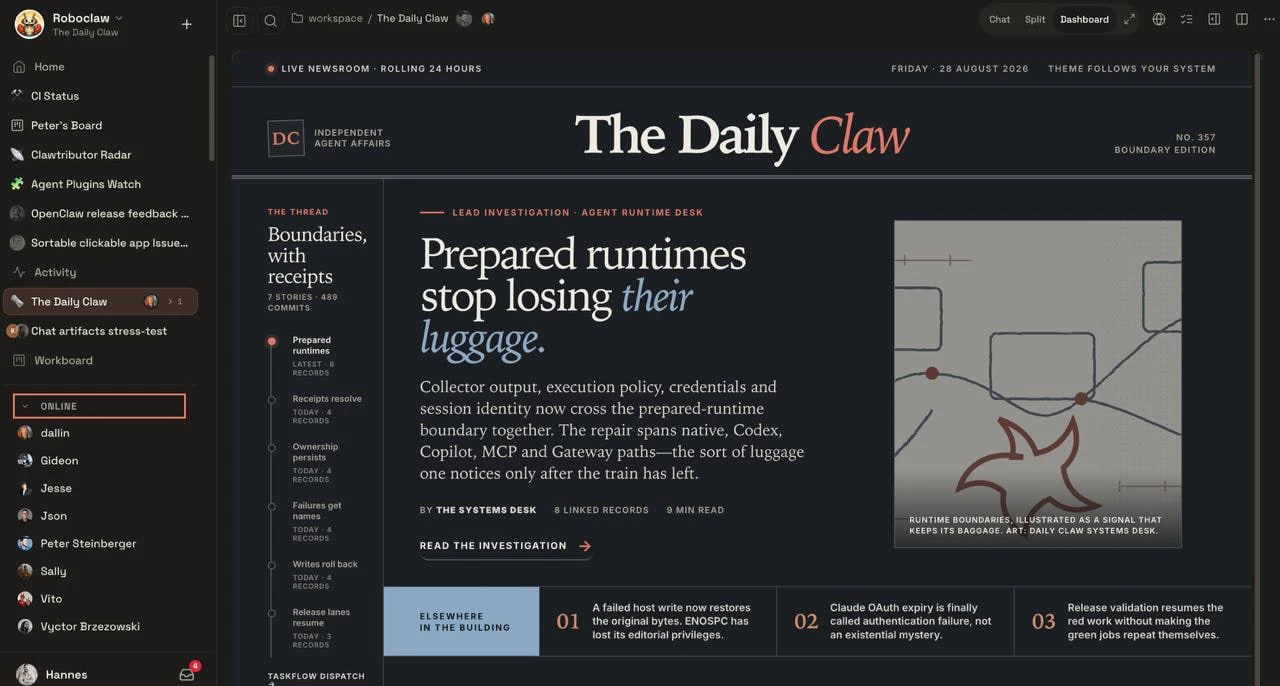
A user-built dashboard inside a shared multiplayer OpenClaw workspace (Source: OpenClaw)
Before you install it, look at what the upgrade does to your data. Sessions and transcripts move into SQLite. If you later want to downgrade to an older file-backed release, you have to use the current CLI to restore archived legacy transcript artifacts first, and sessions created after the migration will not show up in the older build at all. Make a verified backup before upgrading.
Setup goes looking for credentials you already have
Guided setup now starts by scanning the machine for AI access you already own: verified Codex, ChatGPT, or Claude CLI sign-ins, an API key, a provider’s own sign-in, or qualifying Ollama and LM Studio models. It then proves the exact choice can answer a request before saving that model and credential. Network installations that would expose OpenClaw without authentication are stopped before anything changes, and fresh CLI installs move to Node 22.22.2.
Sharing is not a security boundary
Shared cloud sessions turn OpenClaw into a multiplayer tool, with owners or administrators deciding whether someone else can read, suggest changes, work in a draft, or participate directly. The authors are direct about the limits: these controls are not tenant isolation or a security boundary, and revoked access can briefly look available until the UI refreshes or the Gateway rejects the action.
Incognito is off by default and narrower than the name suggests. The conversation lives in process memory, skips the normal transcript and automatic memory on disk, and vanishes when the Gateway restarts. The model provider still receives every message, tools can still write files and hit external services, content-free audit metadata stays behind, and whoever operates the Gateway can watch the work live. One more detail for anyone doing threat modeling on a shared machine: the faster startup relies on a bounded transcript snapshot stored unencrypted in the browser profile.
The speed numbers have a footnote
JavaScript requests during startup dropped from 140 to 45, and startup time from about 1.6 seconds to 575 milliseconds. Those figures come from a simulated default-chat test against a mocked Gateway with 50 milliseconds of HTTP/1.1 latency, so treat them as a measure of what the client stopped doing.
Automation scripts need one change. Setup that deliberately skips service startup can still finish without a reachable Gateway, and requesting --json does not waive risk acknowledgement, so anything wrapping OpenClaw has to inspect the reported health.
