
Passwork NIS2 efficiency guide: Save your team hours before the 2026 audit
By the second half of 2026, national competent authorities across the EU are actively reviewing NIS2 compliance documentation. Under Article 20(1) of the directive, senior management at essential and important entities can be held personally liable for infringements — a detail that tends to concentrate executive attention. ENISA’s 2025 NIS Investments report found that 34% of EU organizations report severe skills shortages specifically in identity and access management (IAM) implementation. You need to get compliant without burning out the team you already have.
This guide covers how to map Passwork to NIS2 Article 21 requirements, where the operational savings come from, and how to produce audit evidence without digging through event logs for three days.
The NIS2 paradox: More security usually means more IT work
NIS2 Article 21 mandates access control policies, multi-factor authentication, and basic cyber hygiene across your organization. Every time you tighten password policies (longer minimums, shorter expiry windows, no reuse) your helpdesk queue grows. Password resets are one of the most predictable sources of that load, and stricter policies only add to it.
The organizations that solve that friction bet on a password and secrets manager that enforces policy automatically.
How Passwork fast-tracks Article 21 compliance
NIS2 Article 21 sets out ten minimum cybersecurity risk-management measures. Three map directly to what a password and secrets manager handles: access control policies, MFA, and credential hygiene. Getting those three right doesn’t require a multi-year IAM project — but it does require a system that enforces policy and records it, not just a written document that describes it.
MFA out of the box
NIS2 Article 21(2)(j) explicitly requires MFA or continuous authentication where technically feasible. Passwork natively supports TOTP, biometrics, passkeys, and security keys (such as Yubikey). No third-party integration is needed to meet that mandate for vault access.
For organizations already running an SSO layer, Passwork’s SAML SSO integration means MFA enforcement happens at the identity provider level, and Passwork inherits it. You’re not adding another authentication silo; you’re extending the one you already manage.
Zero-knowledge architecture and EU data sovereignty
Passwork uses AES-256 encryption with a zero-knowledge, client-side architecture: the server never sees plaintext credentials. For NIS2 auditors, this matters because Article 21(2)(h) requires encryption of data in transit and at rest. With Passwork’s self-hosted deployment, all data stays within your own infrastructure — no dependency on a third-party cloud provider outside EU jurisdiction.
GDPR Article 32 and NIS2 Article 21 both require “appropriate technical measures” to protect data. Demonstrating that credentials never leave your own servers is a clean, auditor-friendly answer to both.
What’s the minimum credential management setup to pass a NIS2 audit?
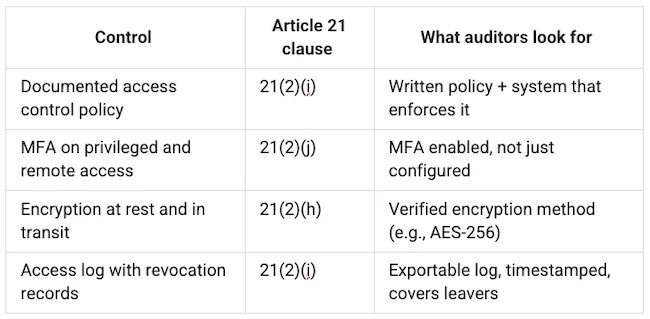
The minimum credential management baseline for a NIS2 audit covers four controls under Article 21:
- a documented access control policy
- MFA on all privileged and remote access
- encryption of credentials at rest and in transit
- an access log that shows who had access to what — and when that access was revoked.
The three controls a password manager handles directly (access policy, MFA, credential hygiene) map to specific Article 21 clauses. Encryption and audit logging round out the four. Together, they cover the operational proof national competent authorities are asking for in 2026 audit cycles.
Many organizations have a documented access policy and MFA enforced at the SSO layer, but no record of who accessed shared credentials: database passwords, API keys, service accounts. SSO doesn’t extend to those. Passwork closes that audit gap. It provides a structured vault with role-based access, AD/LDAP integration, and a full audit log.
The hidden ROI: Saving hours while staying compliant
Compliance sets a minimum bar. The organizations getting the most out of NIS2 preparation use it to fix problems they’ve tolerated for years: inconsistent password policies, no audit trail for shared credentials, access rights nobody remembers granting.
AD/LDAP integration: Realistic deployment timeline
The typical IAM implementation project runs 12 to 18 months. Passwork’s AD/LDAP integration works differently: you connect it to your existing directory, and user provisioning becomes automatic. Core installation and AD/LDAP connection takes under an hour. Vault structure, role configuration, and team onboarding typically runs one to two weeks depending on organization size. That’s the realistic answer to “how long does NIS2 credential compliance take?”
When a new engineer joins the DevOps team, they inherit the team’s vault access through their AD group membership. When someone leaves, you disable their AD account, their Passwork access is revoked in the same action, and the event is logged automatically — timestamped, tied to the user record. The Security dashboard displays all secrets the offboarded employee had access to, ensuring complete visibility. No manual deprovisioning checklist, and a clean offboarding trail for auditors.
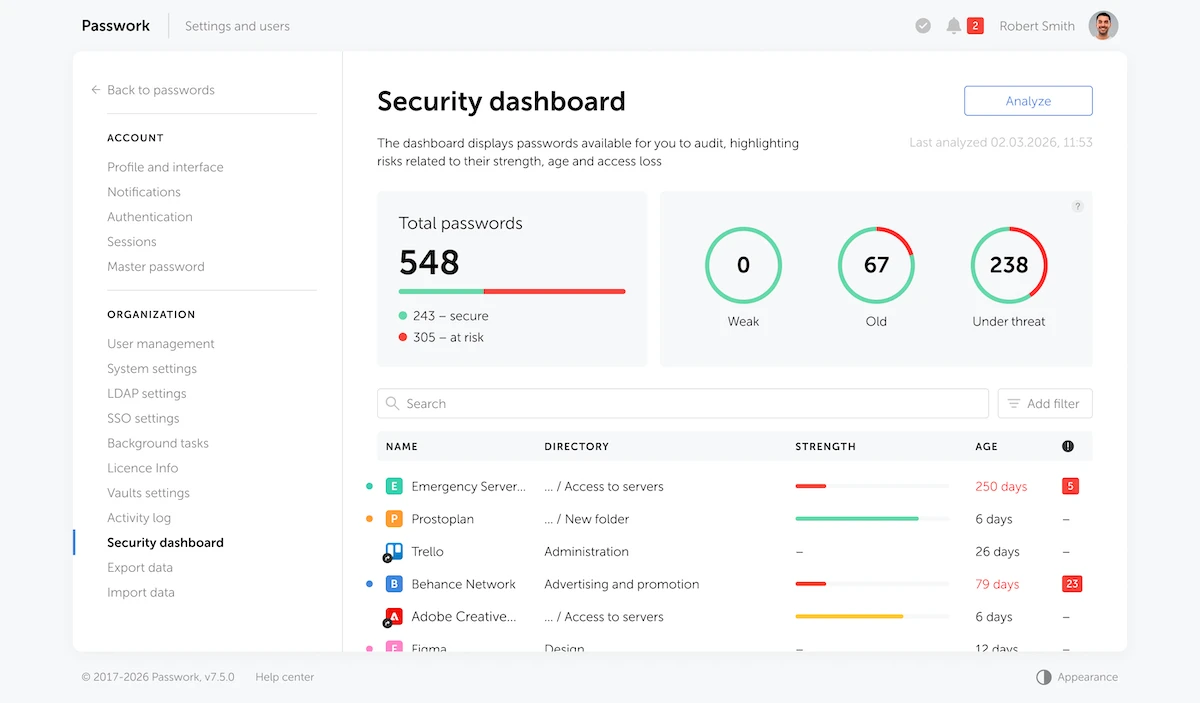
For NIS2 Article 21(2)(i), this is a direct, documentable control. You can show an auditor exactly how access is granted, scoped, and revoked, with a clear link to your directory structure.
Empowering users: Reducing password reset tickets
When users have a proper vault, they stop losing credentials. Instead of storing a password in a browser, a sticky note, or a Slack message, the user saves it once to the vault. Next time they need it, they open the vault.
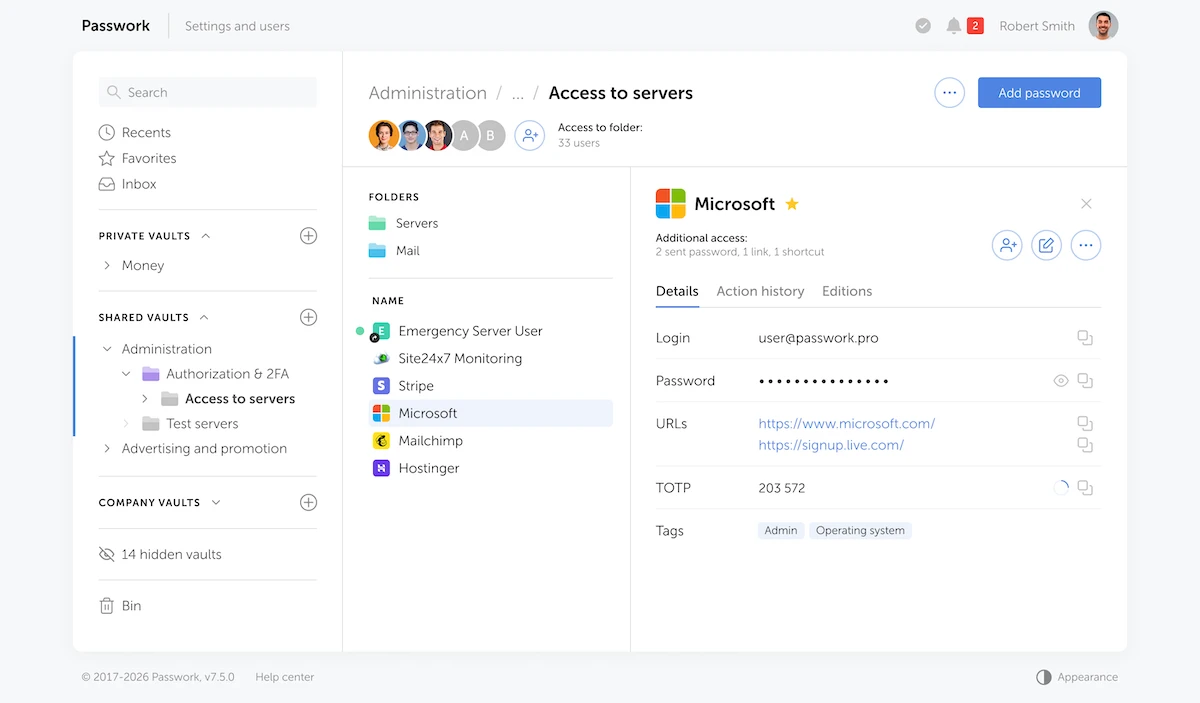
This matters most for shared accounts. The shared staging environment password, the social media login, the legacy system that doesn’t support SSO — these are exactly the credentials that generate repeat reset tickets, because no single person owns them. A vault gives shared credentials a permanent, accessible home with a clear access log.
At roughly $70 per ticket in lost productivity and staff time, an organization handling 200 password-related helpdesk tickets per month spends $14,000 monthly on that overhead. Cutting that by half — a conservative estimate for organizations moving from ad-hoc credential storage to a managed vault — saves $84,000 annually.
Generating audit evidence on demand
Knowing you’re compliant and proving it to an auditor are different problems. Most organizations discover this gap only inside the audit window, scrambling to reconstruct access histories from Windows Event Viewer logs and email threads.
Passwork logs every credential action: who accessed what vault, when, from which IP, what changes were made. Those logs are exportable and timestamped. When an auditor asks “show me who had access to your production database credentials over the last 90 days,” you pull the report in minutes.
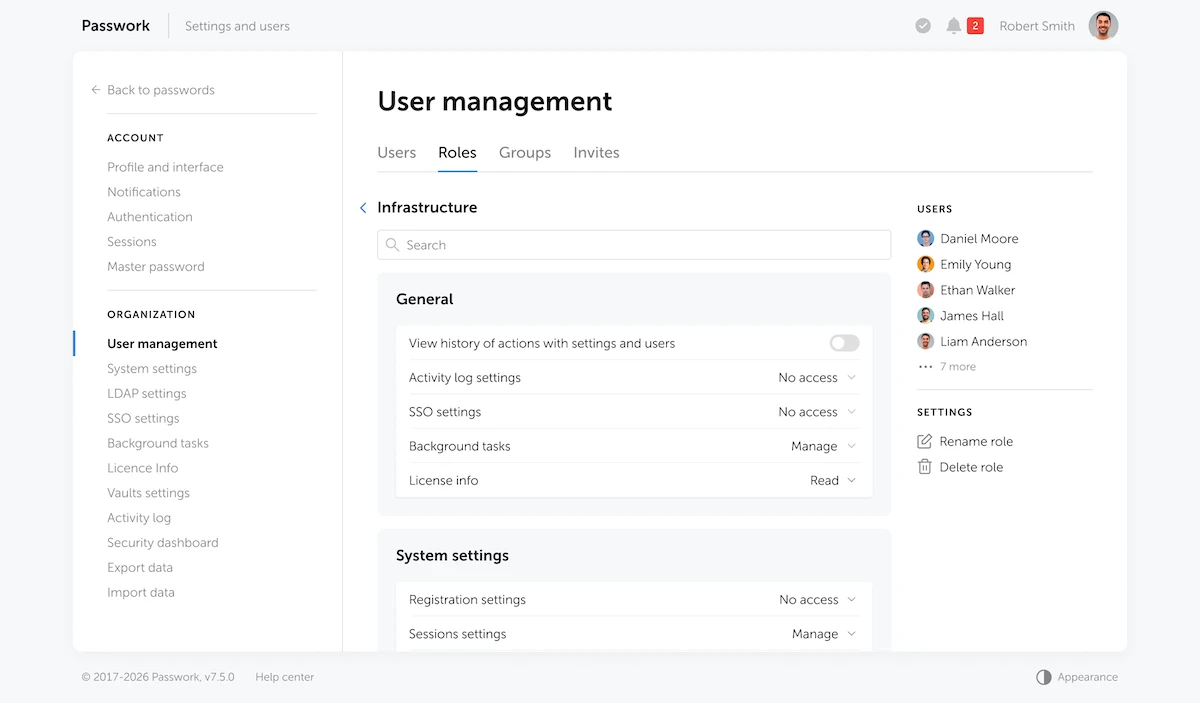
The ECSO NIS2 Transposition Tracker confirms that national competent authorities ask for documented evidence of access control implementation, not policy documents alone. Organizations that have relied on spreadsheets or shared mailboxes for credential management typically have none.
NIS2 Article 34 sets the penalty structure: essential entities face fines up to €10 million or 2% of global annual turnover, important entities up to €7 million or 1.4% — whichever is higher. The audit log is your primary defense against that exposure.
Start with the gap IAM alone doesn’t close
Organizations that treat NIS2 as a pure compliance exercise spend the most time on it and get the least out of it. The ones that use the deadline to fix how credentials are actually managed come out with a leaner helpdesk queue, a smaller attack surface, and audit evidence they can produce on demand.
Passwork runs self-hosted inside your own infrastructure, is ISO 27001 certified, and is built to meet NIS2’s access control and audit-logging requirements. You can test it in your own environment — start a free trial at Passwork.
