
Messenger can warn you about sketchy links without knowing what you clicked
Meta’s Advanced browsing protection (ABP) helps Messenger identify and warn users about potentially harmful websites they open from a chat. Malicious sites can try to steal passwords, collect personal information, or install malware.
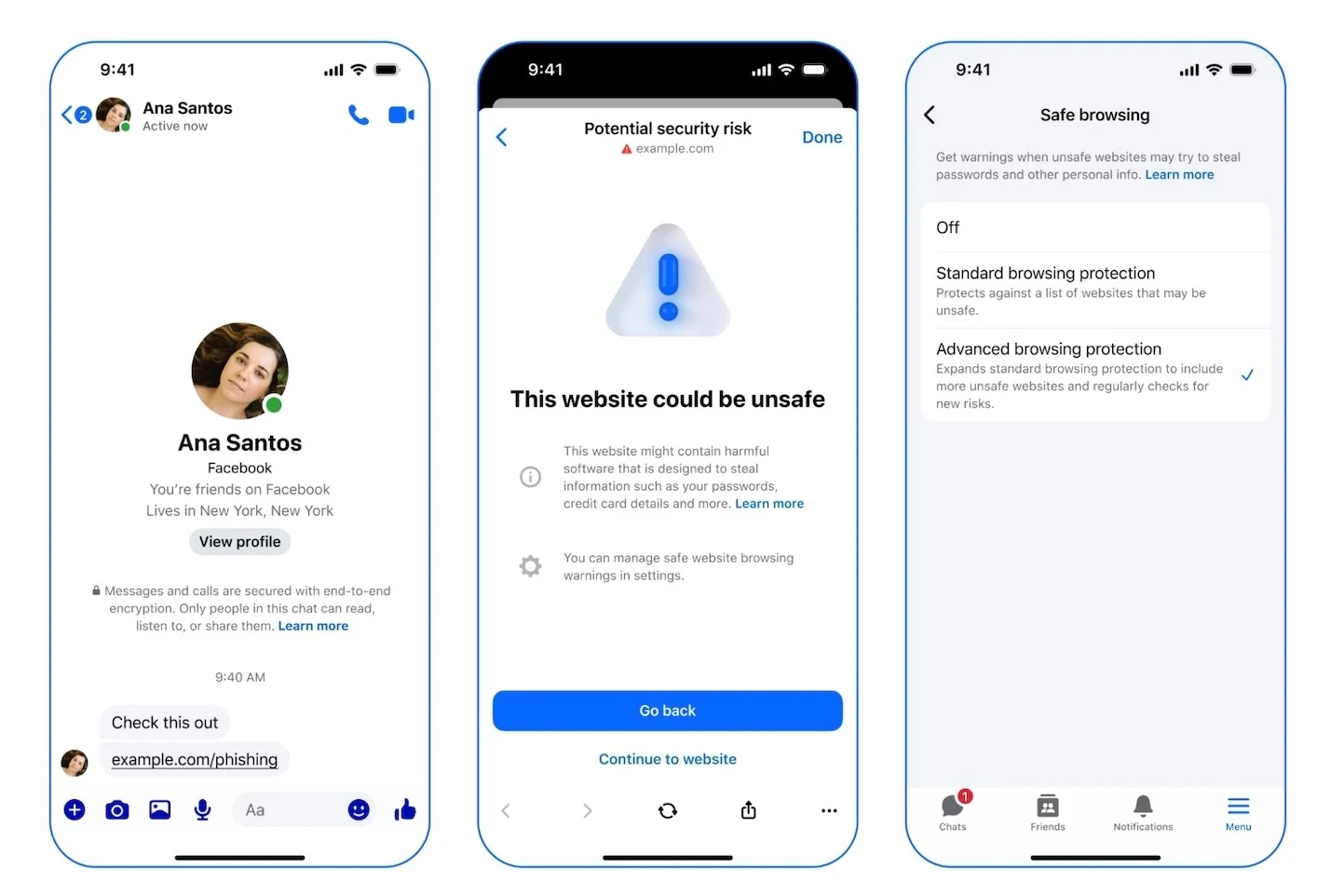
Advanced browsing protection (Source: Meta)
“In its standard setting, Safe Browsing uses on-device models to analyze malicious links shared in chats. But we’ve extended this further with an advanced setting called Advanced Browsing Protection (ABP) that leverages a continually updated watchlist of millions more potentially malicious websites”, the company explained in a blog.
Because Messenger uses end-to-end encryption, Meta cannot see the contents of messages or links in chats. That makes server-side link scanning difficult, since a server would normally need access to the plain URL. Advanced browsing protection uses cryptography and secure computing techniques so links can be checked without revealing them to Meta’s systems in readable form.
How it works
When a user taps a link, Messenger needs to determine whether the destination appears on a blocklist. The app cannot send the plain URL to a server, so it uses a privacy-preserving query system based on private information retrieval techniques.
The client converts the URL into a bucket identifier using predefined grouping rules. It then generates blinded cryptographic queries for components of the link, concealing the original address. These encrypted queries are sent to the server.
The server returns encrypted data for the matching bucket. The device decrypts the response locally and performs the final comparison on-device. If the link matches an entry on the blocklist, Messenger displays a warning before the site opens.
How to turn advanced browsing protection on or off
In the Messenger app, open the menu and go to Settings. Then tap Privacy & safety and select Safe browsing under the Security section. On the Safe browsing screen, you will see Advanced browsing protection, where you can choose to enable or disable it. If the setting does not appear, updating the Messenger app may be necessary.
