
Product showcase: Cross-platform and third-party endpoint patching with Action1
Keeping endpoints patched is one of the more annoying chores in IT operations. Action1 is a cloud-based autonomous endpoint management platform that addresses this challenge head-on, covering third-party apps and OS updates (Windows, macOS, and now Linux) from a single, centralized console. Built as a SaaS solution, it requires no on-premises infrastructure, no VPN tunnels, and no complex firewall rules — endpoints simply reach out to the Action1 cloud service. The result is a platform that scales from a 10-person shop to a global enterprise without adding operational complexity.
What is Action1?
Action1 is delivered entirely as a SaaS platform. Administrators can deploy the lightweight agent via a Windows-based Deployer that integrates with on-premises Active Directory, via a Group Policy Object (GPO), or through other endpoint management tools that support an installer. Once agents are in place, the platform provides centralized control over operating system updates and third-party application patches, managed through policy-based automations that handle approval workflows, scheduling, reboot behavior, and maintenance windows.
The platform also includes vulnerability management capabilities. Missing patches are correlated against known CVEs from multiple update feeds, complete with CVSS scores, CISA Known Exploited Vulnerabilities (KEV) flags, and indicators for vulnerabilities linked to active ransomware campaigns. This turns patch management into a risk-informed practice rather than a checkbox exercise.
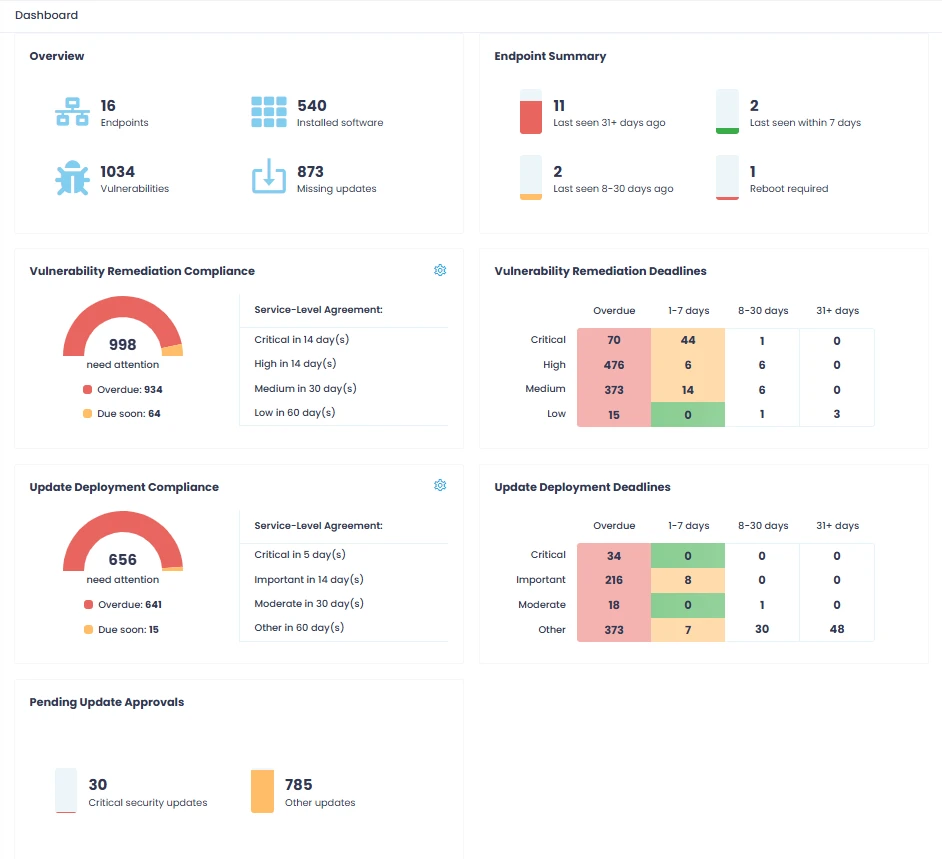
Figure 1: From the Dashboard page, you can double-click any widget to drill down to more specific dashboards, run actions, or discover more details.
Platform support and licensing
Action1 supports Windows, macOS, and Linux endpoints, and it’s completely free for up to 200 endpoints with full functionality — not a trial, no feature limitations, no expiration date. This makes it genuinely viable for all organizations, proof-of-concept deployments, or test environments, with no commitment required.
The platform offers role-based access control (RBAC), multi-organization management for MSPs, staged patch deployment using update rings, and a built-in software repository with pre-configured packages for common applications. Administrators can also build custom packages for organization-specific software. Reporting is flexible: predefined compliance templates are available out of the box, and custom reports can pull data from any source scriptable in PowerShell.
Linux agent support
The December 2025 release introduced native Linux agent support, extending Action1’s unified patch management beyond Windows and macOS. The current Linux agent supports Debian and Ubuntu (latest LTS versions) and most major forks tested, As wel as Red Hat based distributions, with new versions planed for future release.
Linux endpoints can receive OS and third-party package updates as well as execute remote Bash scripts. Script Library assets are reusable across operating systems, which means administrators can manage Linux machines from the same console they already use for Windows and macOS — without switching tools or contexts.
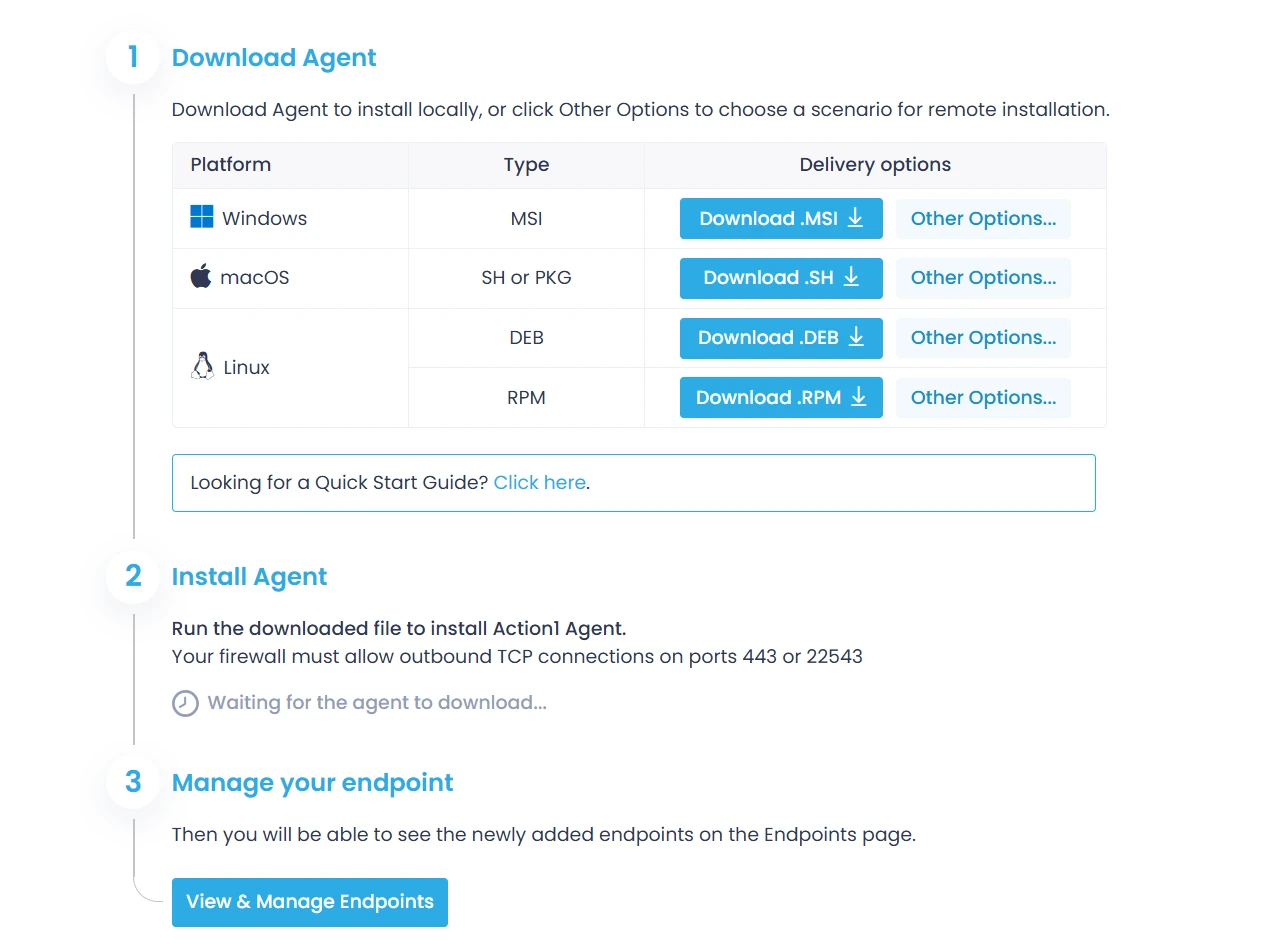
Figure 2: Action1 agent is a lightweight, non-intrusive component used to securely communicate with Action1 Cloud.
Enterprise-wide management view
Action1 now includes an enterprise-wide management view designed for MSPs and large organizations operating multiple tenants or departments. An “Entire Enterprise” selector aggregates data across all accessible organizations, covering endpoints, dashboards, reports, and vulnerability data in one unified view.
An organization column provides context when viewing aggregated data, while endpoint groups remain organization-specific to preserve administrative separation where it matters. This gives MSPs the visibility they need at scale without blurring tenant boundaries.
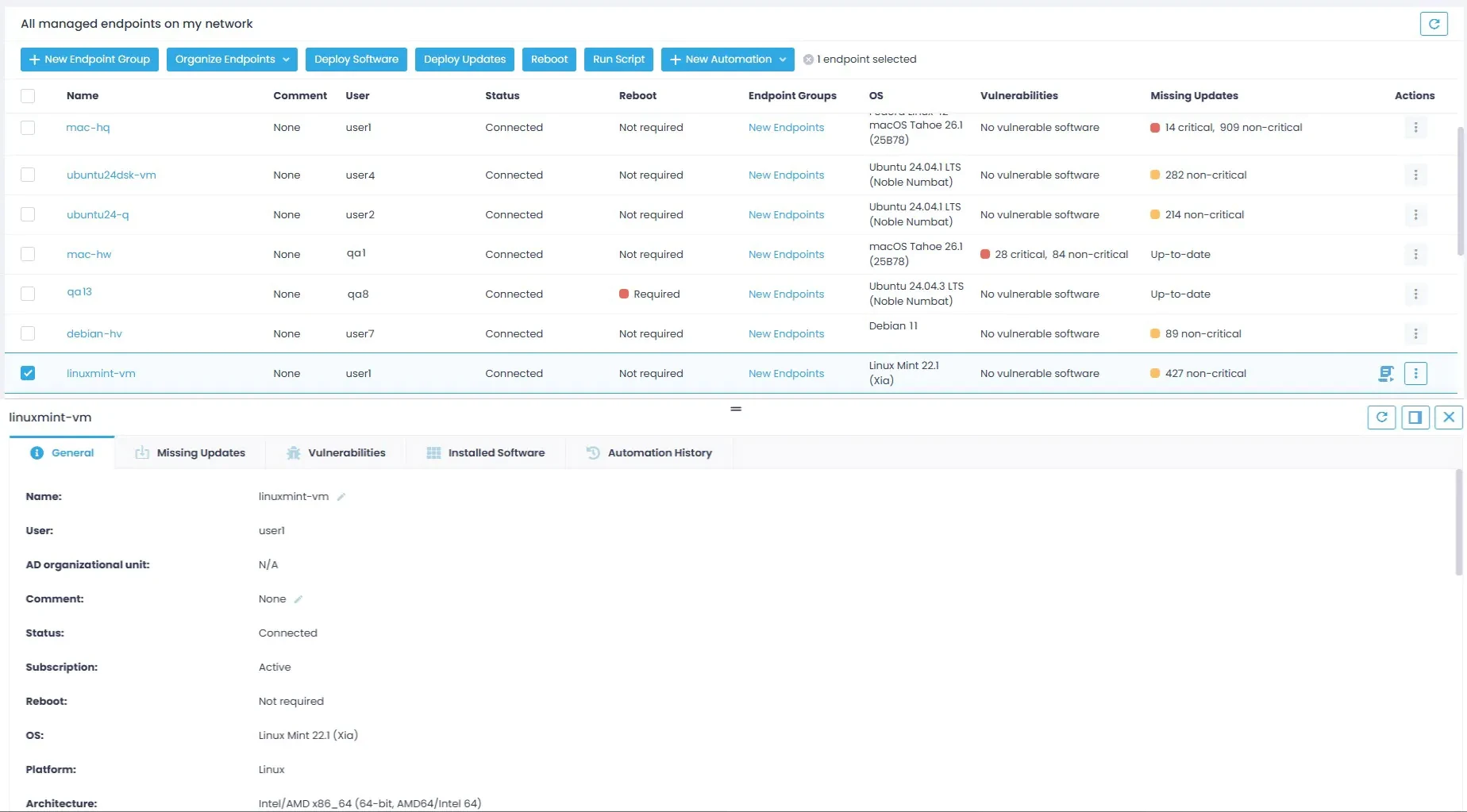
Figure 3: All endpoint information, including missing patches, installed software, and OS details, is refreshed in real time.
Script execution and security enhancements
Action1 supports remote script execution across managed endpoints. In Windows environments, administrators can optionally enforce digitally signed PowerShell scripts — useful for regulated environments where execution must be restricted to scripts signed with trusted certificates. This feature is enabled through Action1 Support.
Agent communication has also been simplified: the Action1 Agent uses port 443 as its primary outbound channel, with port 22543 retained as a fallback. This reduces firewall configuration overhead in restricted network environments, which is a practical improvement for organizations with strict egress controls.
Update rings and software repository improvements
The update ring progression logic has been revised. Ring advancement is now time-based — specifically, “first successfully deployed X days ago” — replacing the previous condition that required a fixed number of updated endpoints. Ring control actions have been renamed from Exclude/Include to Pause/Resume, which better reflects their practical function.
The Software Repository has been expanded with new Windows and macOS packages. Notable additions include Adobe Creative Cloud 2026 applications, Dell management tools, Docker Desktop, Google Chrome Enterprise, Microsoft Azure CLI, PowerShell 7 LTS, SQL Server Management Studio 21, and localized Mozilla applications. For macOS, new additions include Microsoft Edge, OneDrive, Postman, VLC, FileZilla, and Webex.
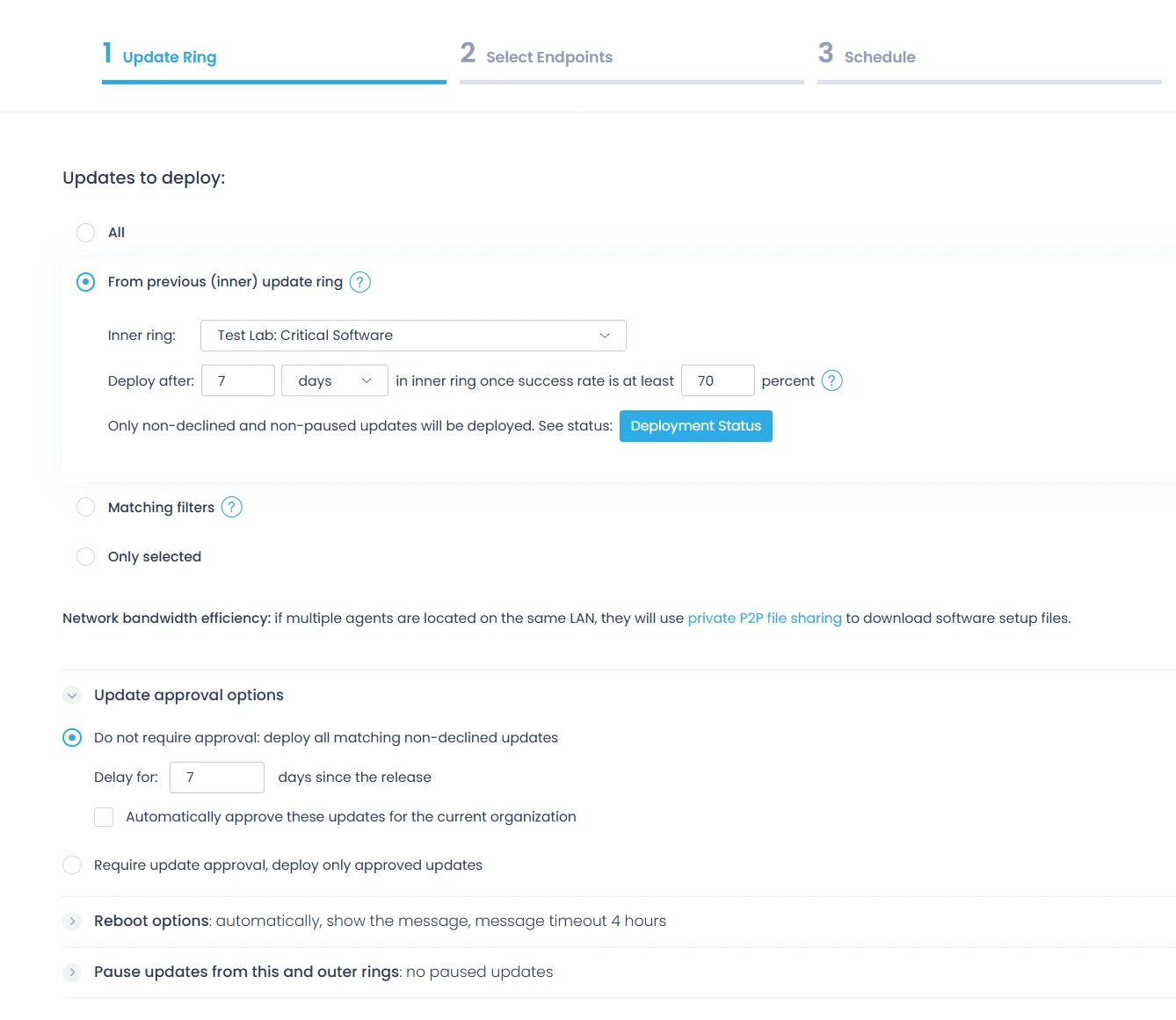
Figure 4: Action1’s autonomous patching uses update rings to roll out updates in stages.
Who is Action1 for?
Action1 is well-suited for IT teams and MSPs managing distributed, multi-OS endpoint environments who need a patch management solution that is straightforward to deploy and operate. The free first 200 endpoints remove the usual barrier to evaluation, and the SaaS architecture means there is no infrastructure to stand up before getting started.
With the December 2025 release, the platform has meaningfully expanded its cross-platform reach and enterprise management capabilities. Organizations that have been looking for a unified way to manage Windows, macOS, and Linux endpoints from one console — while maintaining proper multi-tenant separation for MSP workflows — will find the current version worth a closer look.
You can activate your first free 200 endpoints at: https://on.action1.com/helpnetsecurity