
Product showcase: Scam calls, phishing, and data breaches? Meet AVG Mobile Security
AVG Mobile Security for iOS helps protect users against online threats with features including Web Guard, VPN, Scam Guardian Pro, Hack Alerts, and Photo Vault. It also identifies suspicious calls and scam text messages and helps keep personal information private while using Wi-Fi networks with its VPN. The app is available for Windows, macOS, Android, and iOS.
Getting started
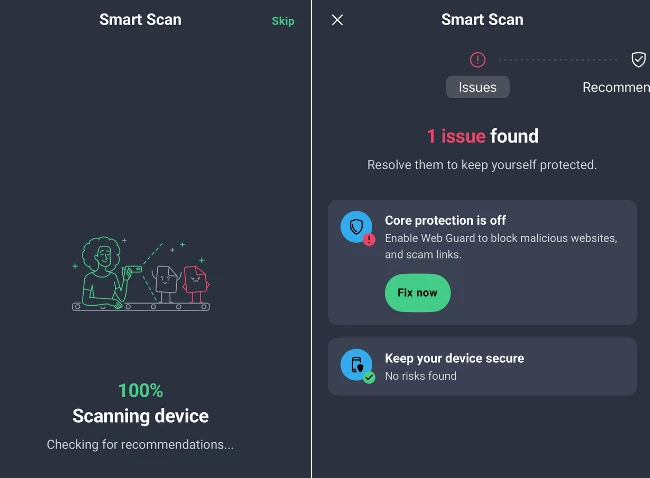
After downloading the app from the App Store, Smart Scan automatically checked the device for security recommendations. The scan found that Web Guard was disabled and recommended enabling it.
Features overview
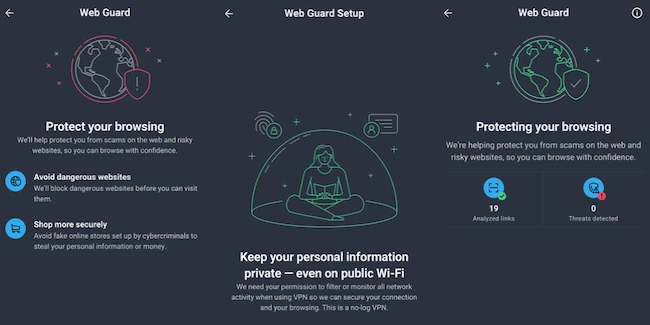
Web Guard helps protect users while browsing by blocking dangerous websites before they load. It also warns about fake online stores that may attempt to steal personal information or money. Enabling Web Guard requires installing a VPN profile because the feature filters web traffic through a secure connection.
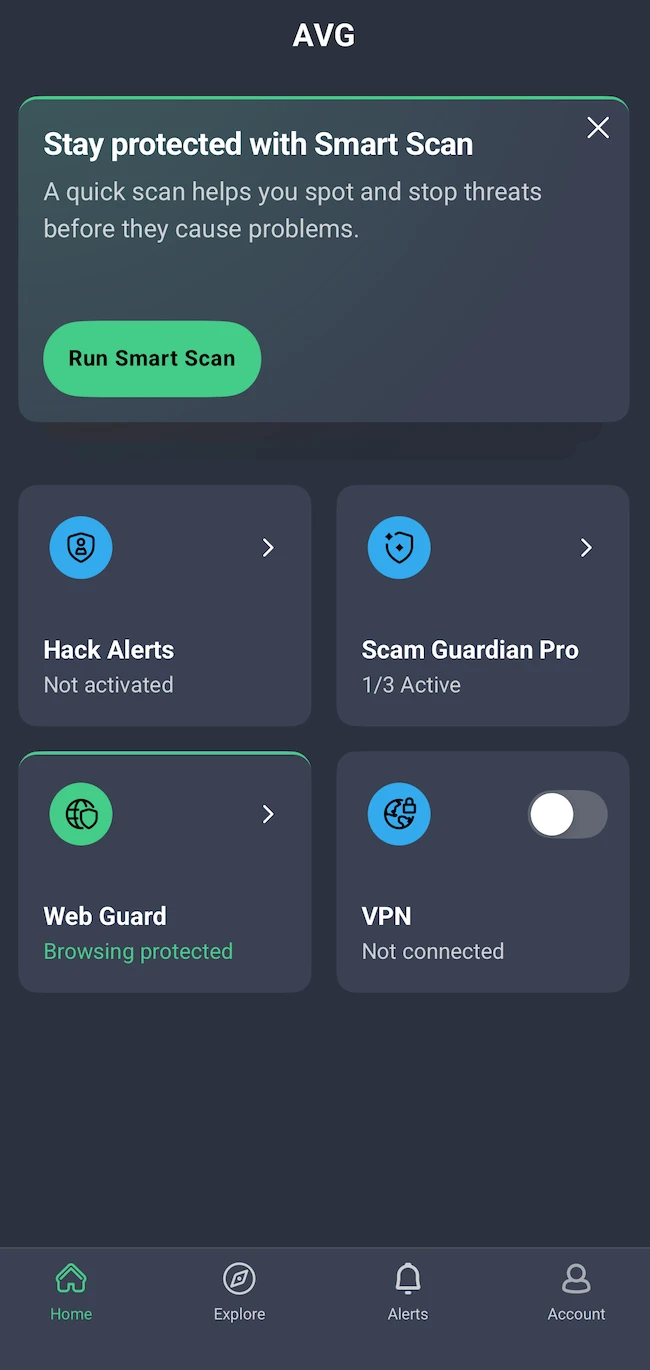
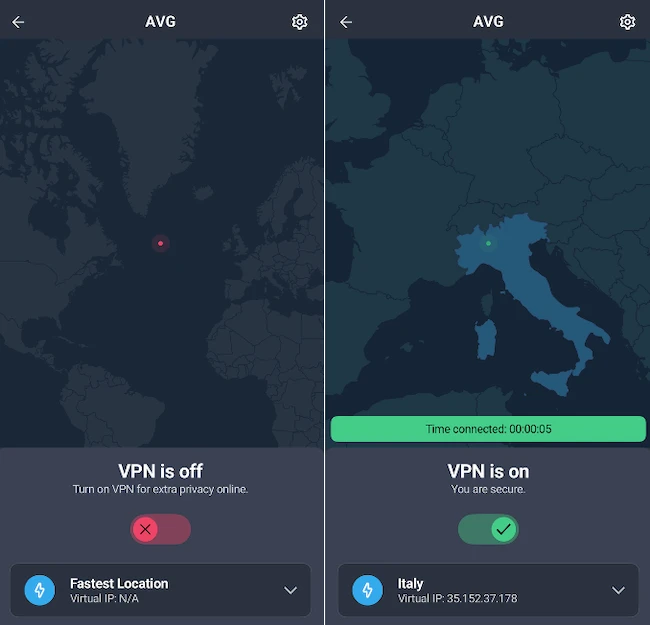
The dashboard is straightforward and shows which security features are active and which still require setup. VPN was disabled by default, so I enabled it.
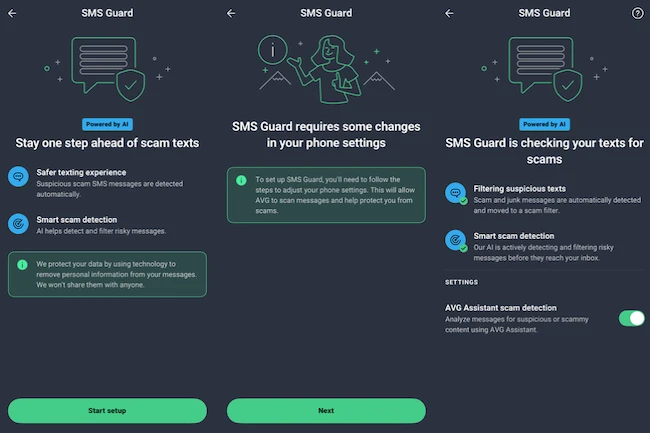
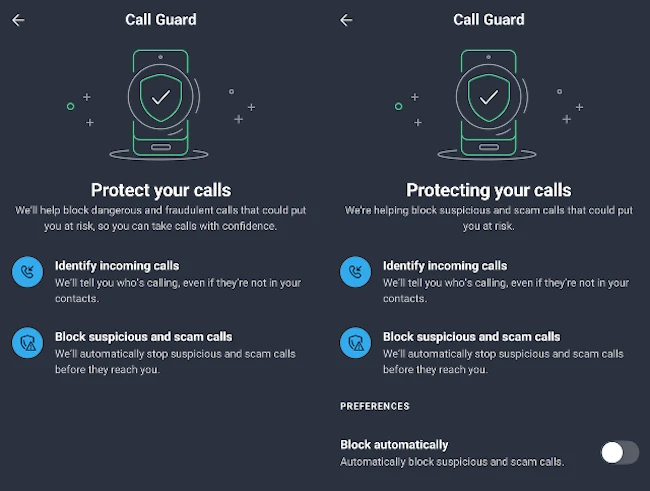
Next, I opened Scam Guardian Pro and set up SMS Guard and Call Guard.
SMS Guard uses AI to detect scam and junk messages and moves them to a scam filter. Call Guard identifies suspicious and scam calls, and users can choose whether those calls are blocked automatically.
Hack Alerts monitors an email address for known data breaches. If an account associated with the email has been compromised, the app lists the affected accounts and recommends changing the passwords. The free version supports one email address, while the premium version supports up to five.
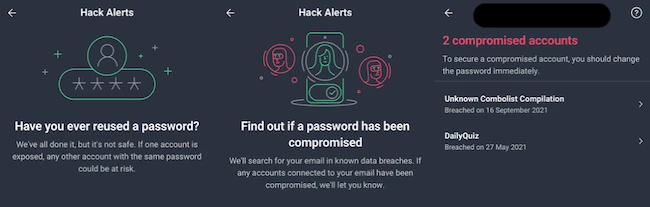
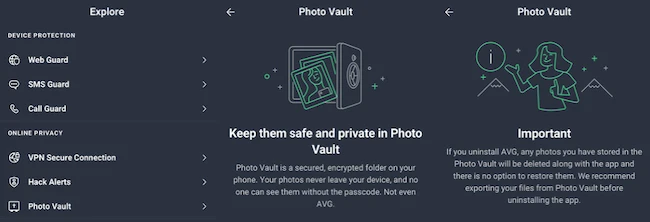
Photo Vault is available in the app’s settings. It creates an encrypted vault protected by a passcode, with the option to enable Face ID for access. After creating the vault, users can add photos that are stored securely inside the encrypted vault.
Final thoughts
AVG Mobile Security was easy to set up and use. The setup process guides users through enabling each protection feature, and the dashboard shows what is active and what still requires attention. I found Photo Vault particularly useful for storing photos of personal documents in an encrypted vault.