
Product showcase: Avira Security for iOS blends security, privacy, and device optimization
Avira Mobile Security for iOS combines security, privacy, and device optimization tools in a single application. The app is also available for Android, macOS, and Windows devices.
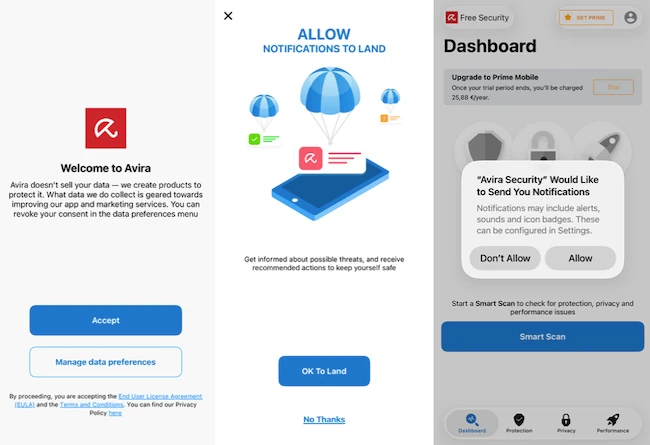
After downloading the application from the App Store users are guided through a short onboarding process. The application first presents information about data collection and privacy preferences, with options to accept the default settings or review them in more detail. It then requests permission to send notifications that can be used to alert users about potential security or privacy issues.
Dashboard overview
The main dashboard is organized into three categories: Protection, Privacy, and Performance. A Smart Scan button is prominently displayed and serves as the starting point for a device-wide assessment.
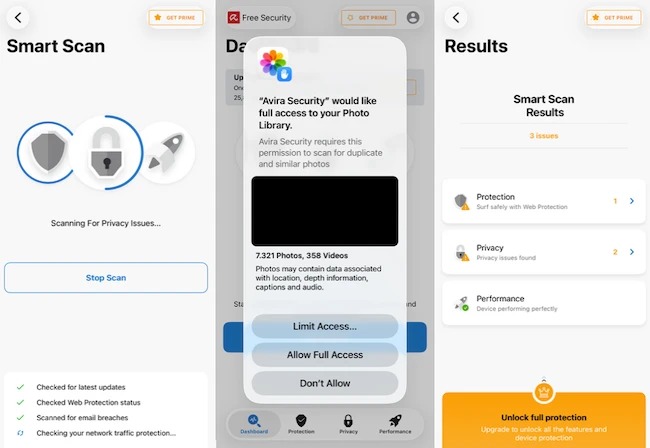
During testing, Smart Scan checked several areas, including iOS update status, Web Protection configuration, identity breach monitoring, and VPN status. The scan displays progress in real time and categorizes findings into Protection, Privacy, and Performance sections. Results are presented in a summary view that makes it possible to review each category individually and address any detected issues.
Protection features
The Protection section contains three tools: Web Protection, iOS Updater, and Contacts Backup.
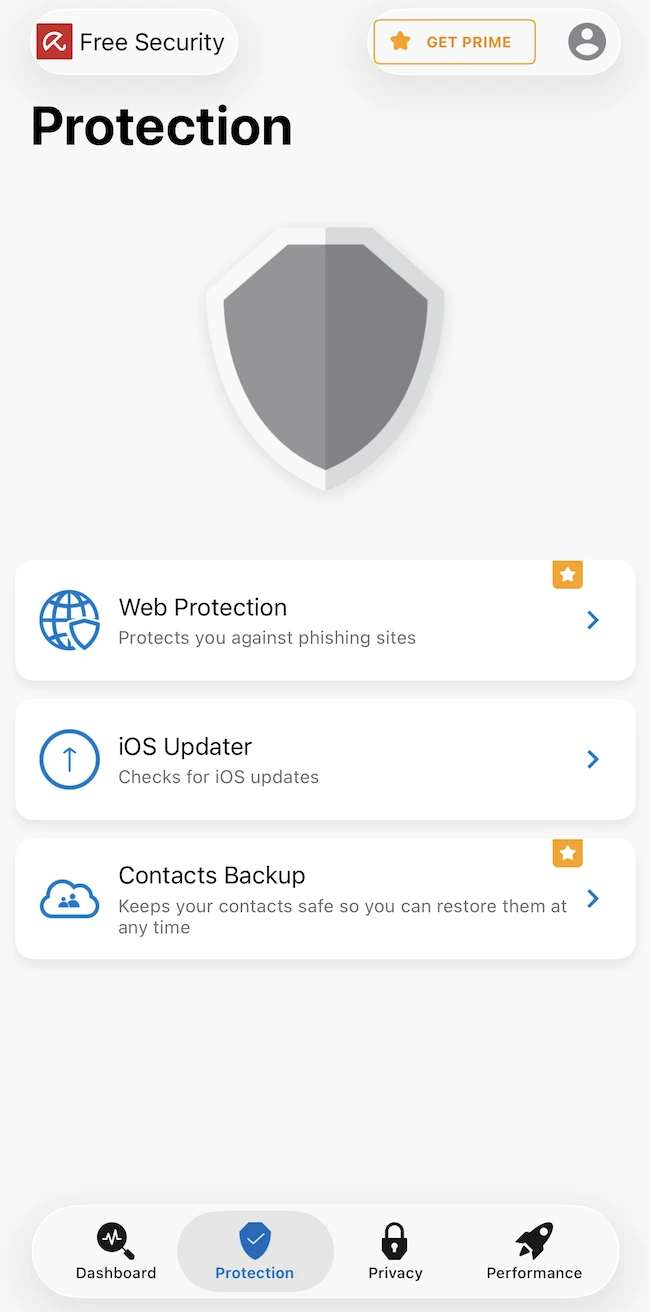
Web Protection helps block phishing websites and other potentially dangerous web content. During testing, the feature appeared as an item requiring user action within Smart Scan results when it was not enabled.
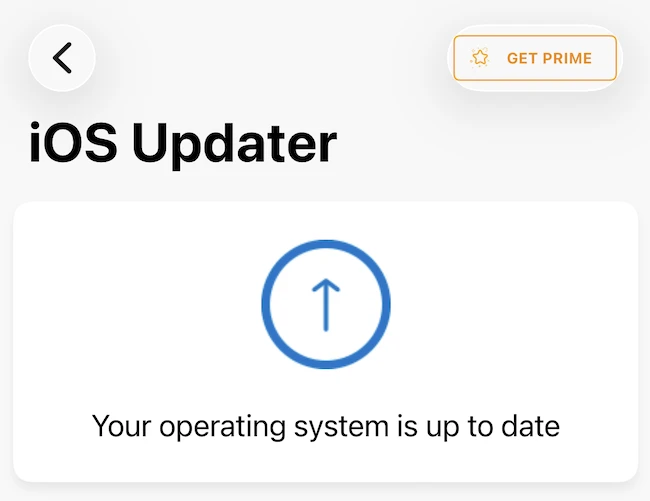
The iOS Updater checks whether the device is running the latest version of Apple’s operating system. In our test, the feature confirmed that the device was updated.
Contacts Backup can create and restore contact backups. This can be useful when migrating to a new device or recovering data after a reset.
Privacy features
The Privacy section contains Identity Protection, VPN, Call Blocker, Privacy Manager, and Password Manager.
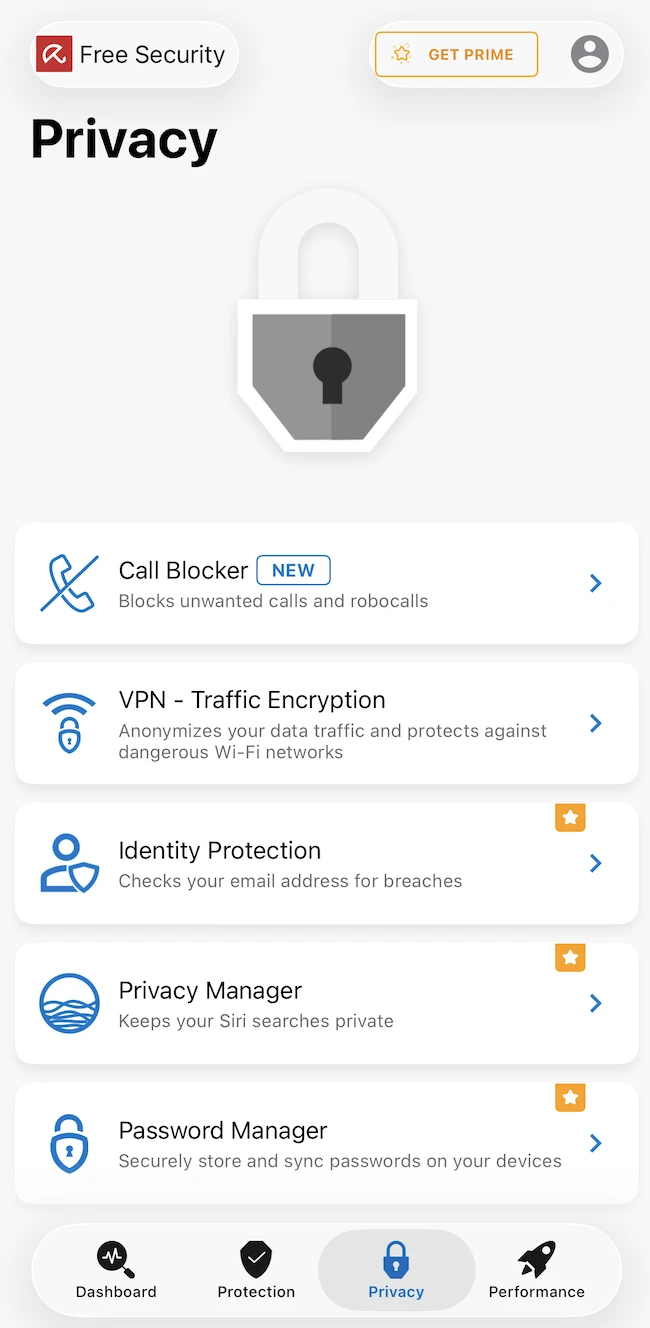
Identity Protection checks whether an email address has appeared in known data breaches.
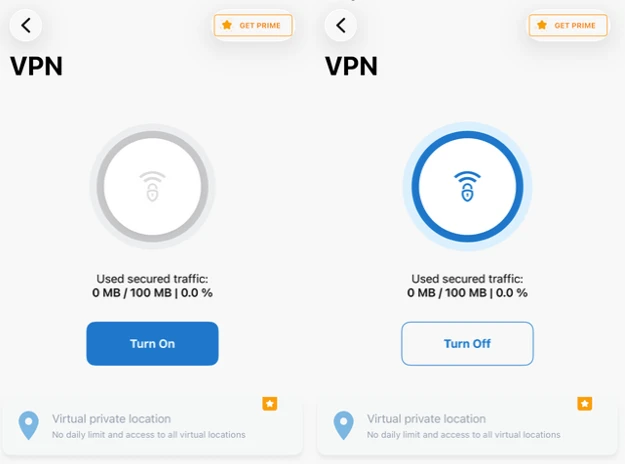
VPN encrypts network traffic and helps protect connections on public Wi-Fi networks. The free version includes 100 MB of VPN traffic, which is displayed within the VPN interface. Once the limit is reached, users are encouraged to upgrade to gain unrestricted usage.
Performance tools
The Performance section includes Photo Cleaner and Device Analyzer.
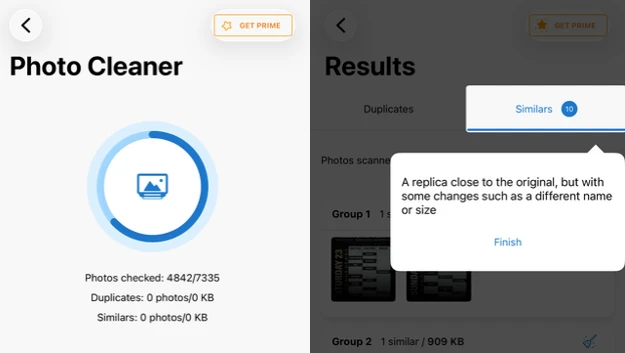
Photo Cleaner requires access to the device’s photo library and scans for duplicate and similar images. During testing, the application analyzed more than 7,000 photos and grouped visually similar images together for review. Results are organized into categories that show the number of similar photos and the storage space they occupy, allowing users to decide which files to keep or remove.
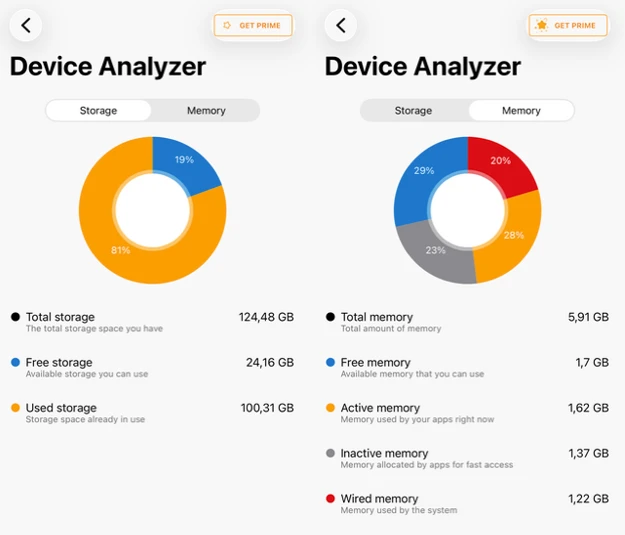
Device Analyzer provides information about storage usage and available device resources, giving users an overview of their device’s status.
Conclusion
Avira Security provides a useful collection of security, privacy, and optimization tools in its free version. Premium-only features are marked within the application interface, allowing free users to see what additional functionality is available before upgrading.
