
Product showcase: Is that text a scam? Malwarebytes Mobile Security can help you find out
Malwarebytes Mobile Security for iPhone combines scam prevention, privacy protection, and identity monitoring in a single app. It evaluates a device’s security posture, provides recommendations to improve protection, and is available for Windows, macOS, Android, iOS, and ChromeOS.
Installation and security dashboard
Installing Malwarebytes Mobile Security from the App Store takes only a few moments. After creating an account, the app guides users through enabling Web Protection, Call Protection, Scam Guard, and the VPN.
The dashboard displays a Protection Score based on the current configuration and identifies settings that require attention.
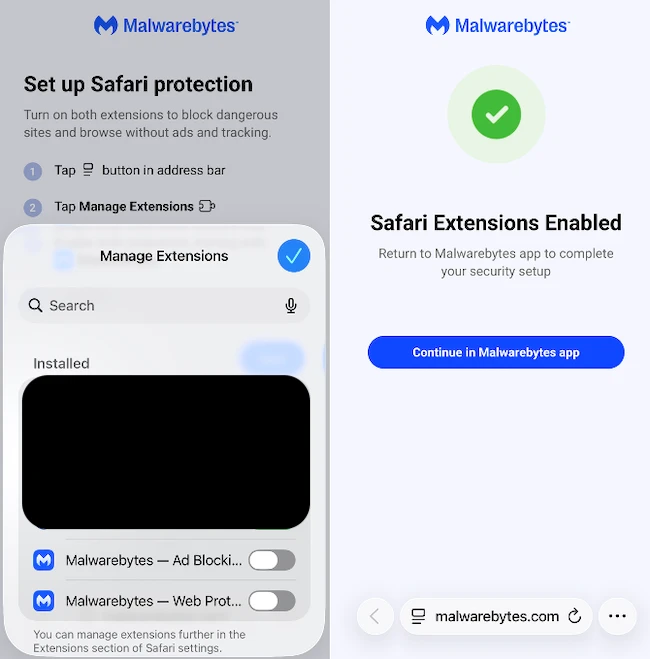
During setup, the app guides users through enabling Safari extensions, configuring notifications, and activating available protections. The app also checks device passcode, Face ID, jailbreak status, database updates, and account status.
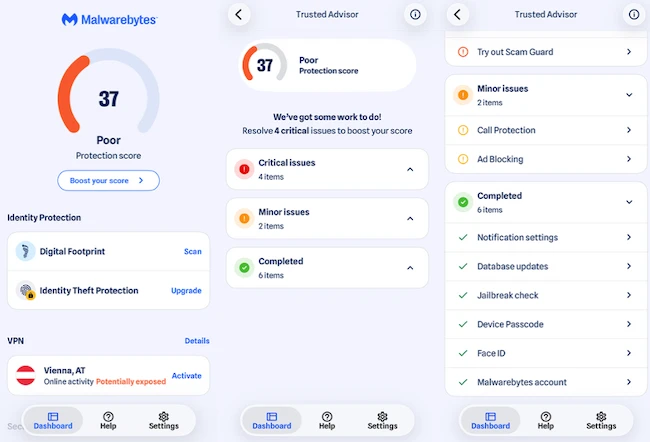
Trusted Advisor organizes recommendations into Critical Issues, Minor Issues, and Completed checks. Each recommendation explains its purpose, its effect on the Protection Score, and the steps required to resolve it. The app can recommend enabling Web Protection, running a Digital Footprint scan, updating iOS, or enabling additional protections.
The app can recommend enabling Web Protection, running a Digital Footprint scan, updating iOS, or activating additional safeguards to improve the overall score.
Privacy and security features
Web Protection blocks phishing websites, malicious URLs, and fraudulent pages in Safari before they open. Safari extensions block advertisements and online trackers. Web Protection required no additional interaction after setup during testing.
A built-in VPN encrypts internet traffic on public and other untrusted Wi-Fi networks. During testing, the application allowed manual selection of VPN server locations, with Vienna, Austria, used for evaluation. The interface displays the connection status as either “Online activity Protected” or “Potentially exposed.”
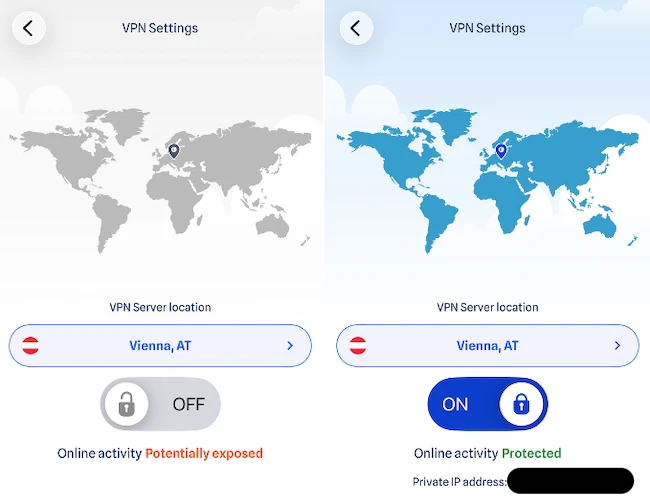
When connected, the app displays the assigned private IP address.
Call Protection identifies known spam and scam callers before users answer the phone. Text Message Filtering moves suspicious SMS messages to the Messages app’s spam folder, helping reduce exposure to phishing attempts delivered through text messages.
Scam Guard is an AI-powered assistant that analyzes suspicious messages, emails, links, and phone calls. Users can ask questions in natural language, paste suspicious content, or upload screenshots for analysis.
The interface includes suggested prompts for checking text messages, emails, links, and phone calls.
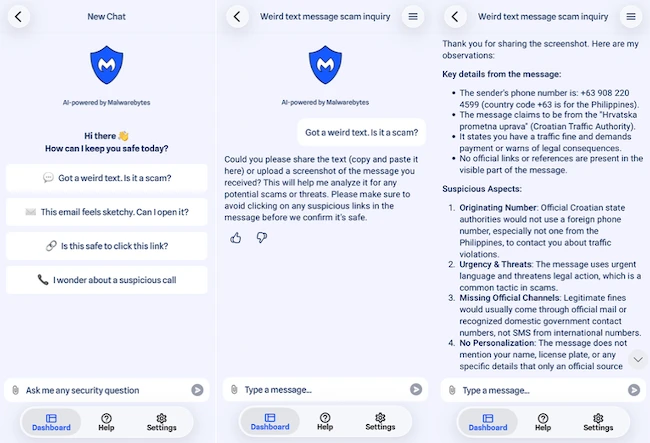
Scam Guard analyzed a phishing SMS impersonating the Croatian Traffic Authority. After a screenshot was uploaded, the assistant identified several indicators associated with phishing attempts. It noted the use of a Philippine phone number, references to legal penalties, the absence of official government communication channels, and the lack of personalized information.
The response explained each indicator and advised verifying the message before taking any action.
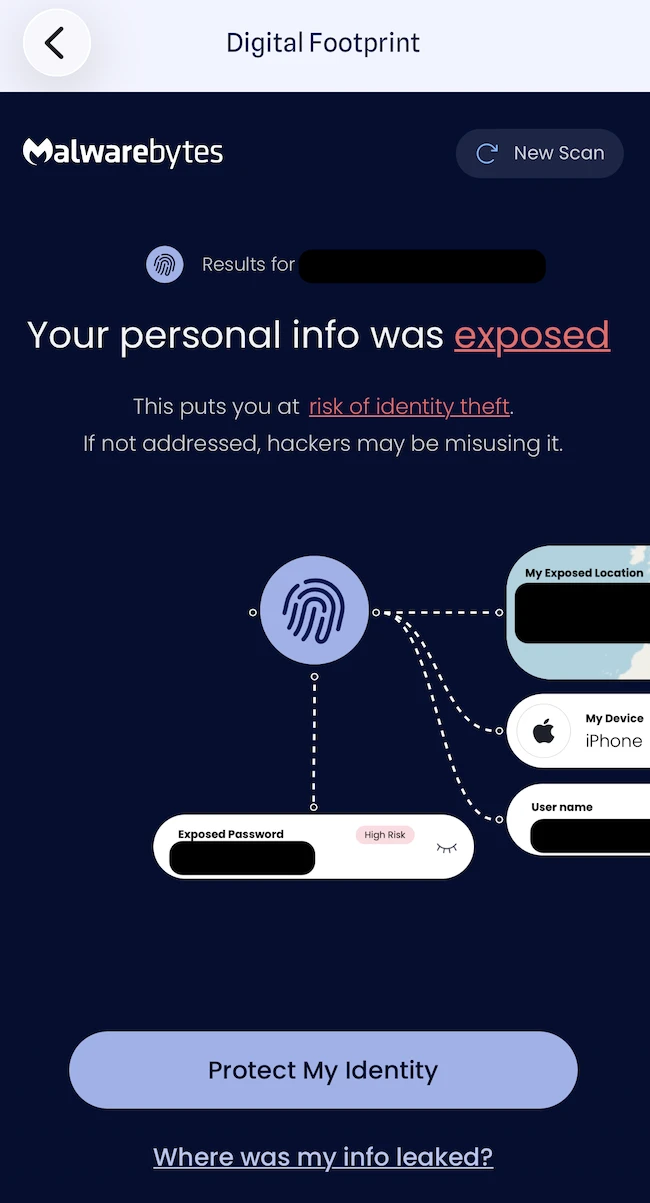
Digital Footprint scans email addresses and other personal information for exposure in known data breaches and data broker databases. Premium subscription plans also include Identity Theft Protection with continuous monitoring and recovery assistance.
Conclusion
Malwarebytes Mobile Security for iOS combines several security and privacy features in a single app, including web protection, call protection, VPN, Scam Guard, and identity monitoring. The app was easy to configure and use throughout testing.
