
Browser-in-the-Browser phishing is on the rise: Here’s how to spot it
Browser-in-the-Browser (BitB) phishing attacks are on the rise, with attackers reviving and refining the technique to bypass user skepticism and traditional security controls.
BitB phishing: Dangerous and effective
For BitB phishing, attackers create a pop-up window inside a real web page (browser) by using HTML, CSS, and JavaScript. The goal is to trick users into entering login credentials by making them believe they are on a legitimate login page.
The technique is being used to target users of popular services and brands like Microsoft, Facebook, the Steam gaming platform, and others.
Trellix researchers say that for Facebook users, attackers are faking legal notices, “Account Suspension” alerts, “Action Required” emails, and “Unauthorized Login” alerts to trick users into visiting the phishing pages.
Online gamers have been known to be lured in by free video game items, advertised in YouTube videos. Microsoft users are more likely to be asked to log in to view a document.
Prospective victims are usually first redirected to a fake CAPTCHA page, which serves as a gate that helps attackers evade automated security scanning. When they “solve” it, users are redirected to the actual phishing page, which is often hosted on legitimate cloud storage services.
The URL of the phishing domain may or may not reference the impersonated service, but the in-browser pop-up displays what appears to be the real login URL:
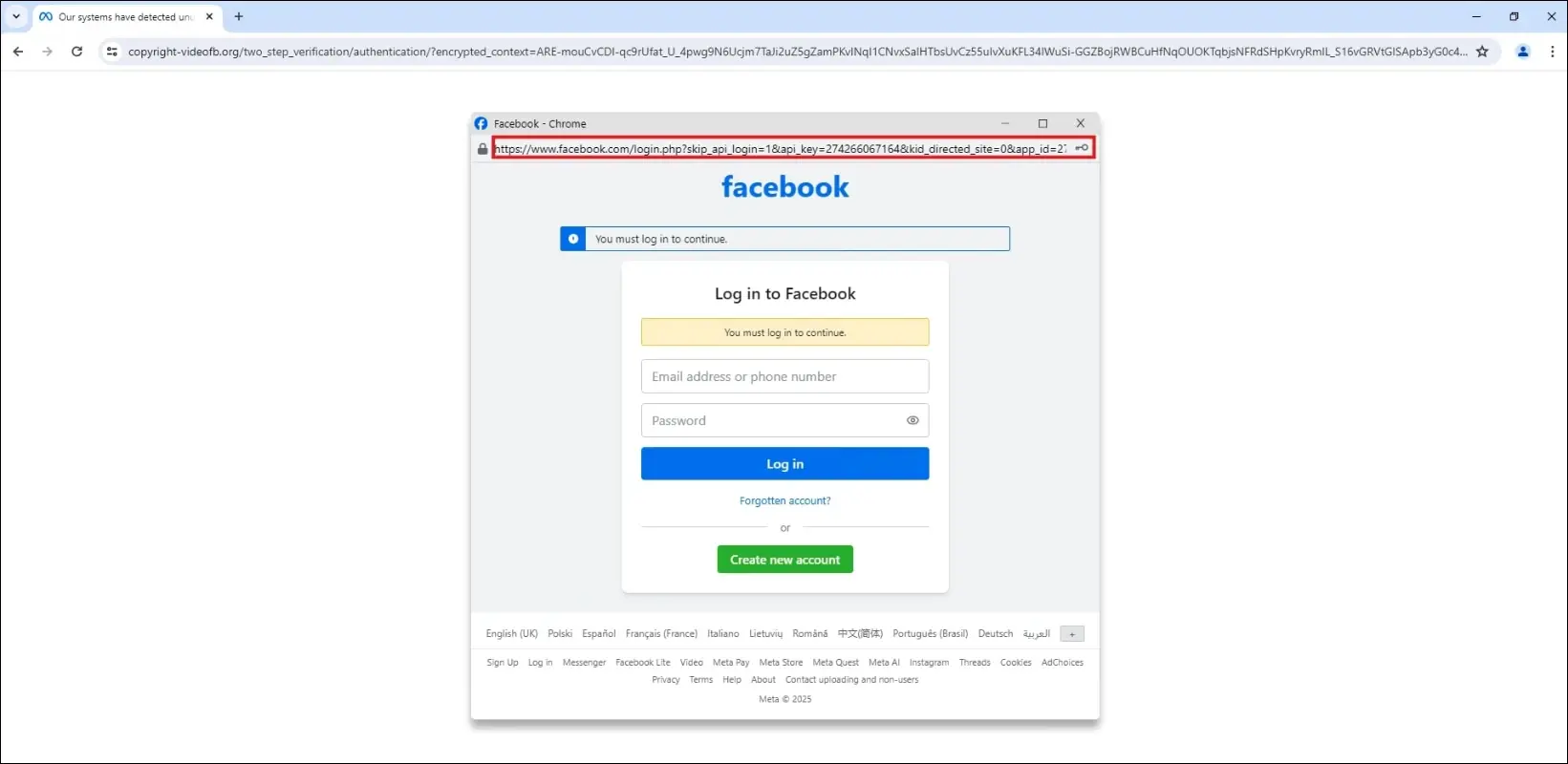
Facebook-themed BitB phishing (Source: Trellix)
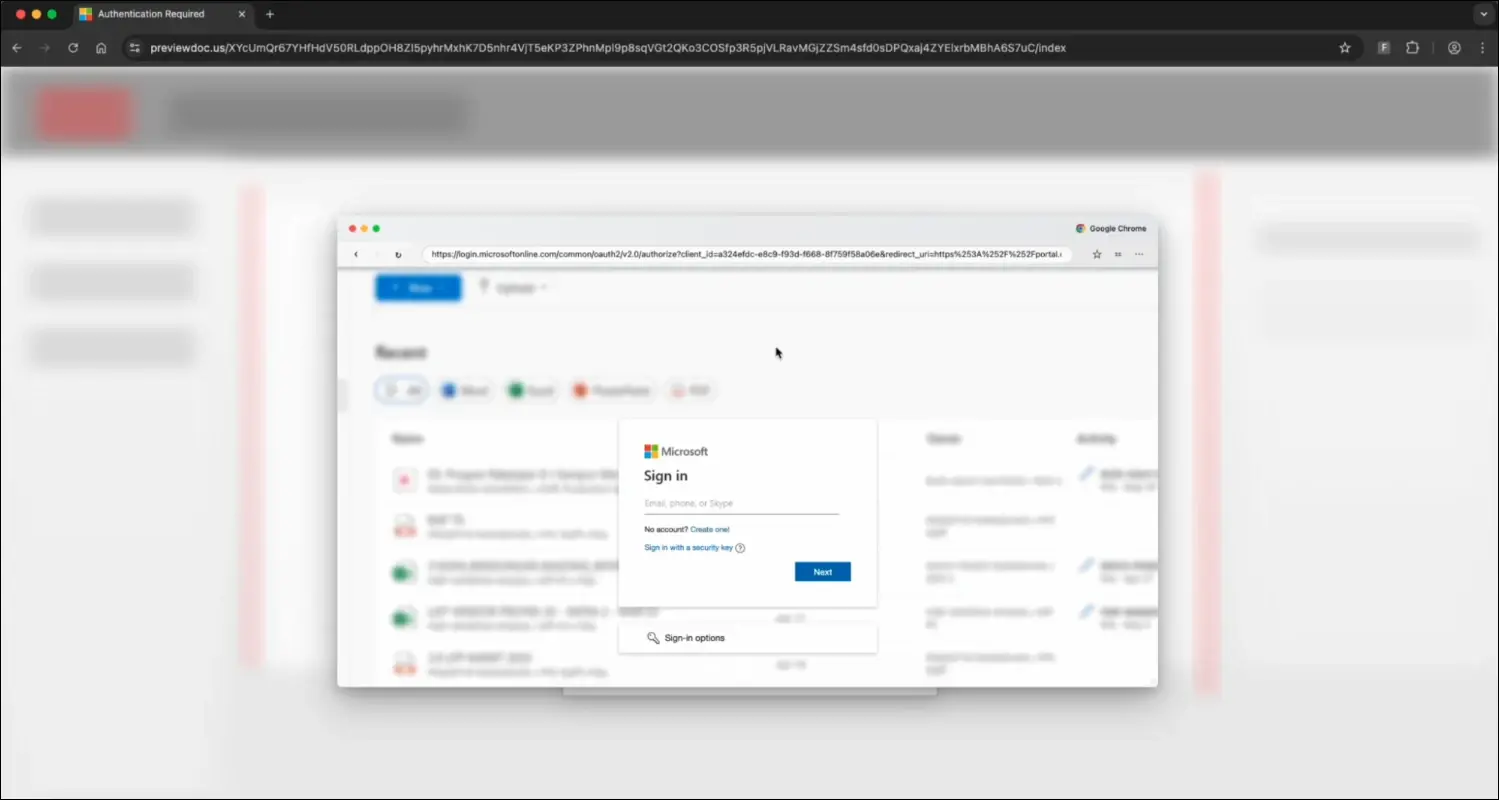
Microsoft-themed BitB phishing (Source: Push Security)
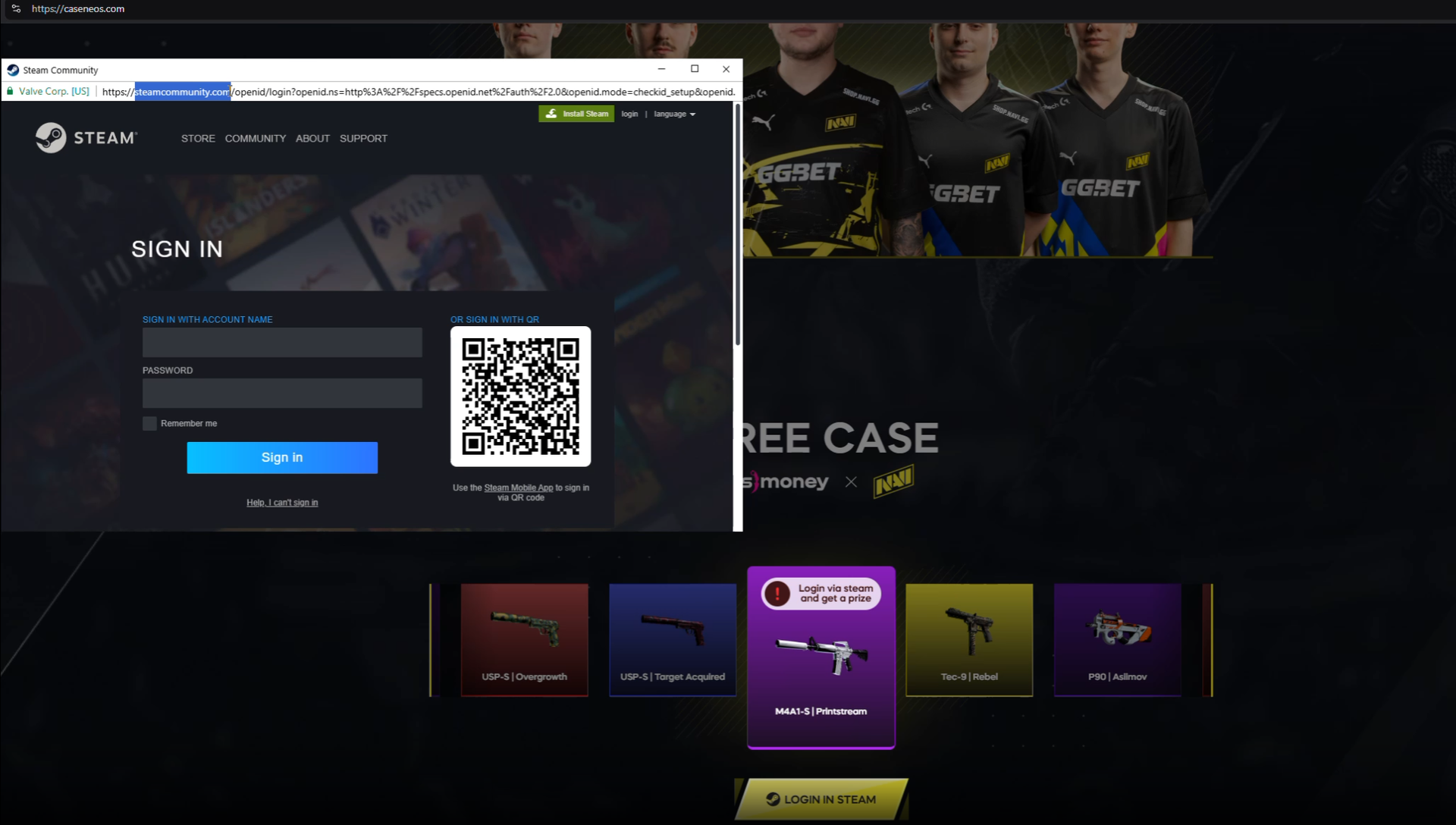
Steam-themed BitB phishing (Source: Silent Push)
That’s the whole point: to convince users that rely on that one visual cue that the login page is legitimate.
Unfortunately for those who fall for the trick, the entered credentials are sent to the attackers.
Advice for users
“By creating a custom-built, fake login pop-up window within the victim’s browser, this method capitalizes on user familiarity with authentication flows, making credential theft nearly impossible to detect visually,” Trellix researchers noted.
They advise users and account holders to enable two-factor authentication (2FA) on their accounts (if possible) and to carefully examine all login pop-ups.
If a login pop-up hasn’t triggered your password manager and can’t be dragged outside the browser or minimized like a real window, it’s likely a browser-in-the-browser phishing attempt.
Phishing kits with BITB functionality
Browser-in-the-Browser phishing relies on stealing credentials, a model that breaks down when passkeys or WebAuthn authentication are enforced. While not a silver bullet, phishing-resistant authentication effectively neutralizes BitB attacks that depend on fake login windows.
Unfortunately, password-based authentication is still very popular, and setting up BitB phishing pages is getting easier due to PhaaS kits like Sneaky2FA adding the functionality.
“There is evidence that Sneaky2FA’s shift to BiTB might not be an isolated change. Raccoon0365 is another PhaaS service that has been seen utilizing BITB functionality after announcing a ‘BITB mini-panel’ would be added as part of a service revamp,” Silent Push researchers pointed out late last year.

Subscribe to our breaking news e-mail alert to never miss out on the latest breaches, vulnerabilities and cybersecurity threats. Subscribe here!