
Microsoft Scout agent opens a new category of always-on Autopilots
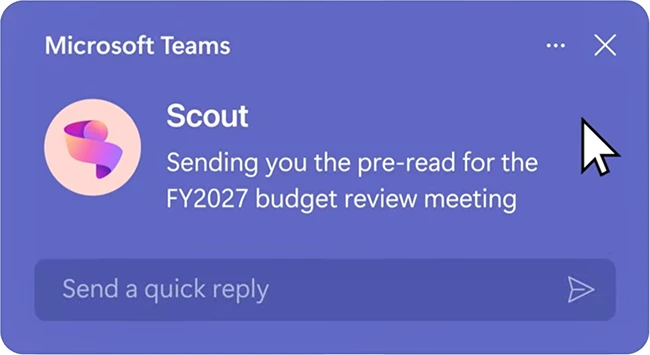
Workplace AI assistants have mostly waited for a prompt before doing anything. A user asks, the tool answers, and the exchange ends there. Microsoft is putting a different kind of agent inside its Office applications, one designed to keep operating in the background once a person stops paying attention. The company introduced Microsoft Scout, calling it the first entry in a category it labels Autopilots.
What an Autopilot does
Autopilots are always-on agents that run autonomously and carry their own identity. They stay active across a user’s applications and systems, learn how work gets done, and take action on a person’s behalf within the permissions an organization sets. The agent continues tasks even when the user has moved on to something else.
“Microsoft Scout is integrated across the Microsoft 365 apps you use every day, keeping it grounded in your flow of work. It operates across cloud, desktop, and web, connecting to Teams, Outlook, OneDrive, and SharePoint, and to the data that powers your day, including chats, email, calendar, and contacts. You interact with it in Teams, and extend its reach through the desktop app to your browser, local resources, and model context protocol servers,” Omar Shahine, Corporate VP of Microsoft Scout, explained.
The agent handles coordination work. It schedules meetings across time zones, flags important sessions, prepares materials, blocks calendar time for upcoming deliverables, and surfaces risks such as stalled decisions. Over time it builds context through a system called Work IQ, learning a user’s priorities and what needs to happen next.
Scout is powered by OpenClaw, an open-source technology. Microsoft is contributing policy conformance upstream to the OpenClaw project, which the company says will let organizations running it validate whether their environment meets security and compliance requirements and produce an audit-ready answer.
Identity and access controls
The security design centers on identity. Each Scout agent operates under its own governed Entra identity that an organization’s directory already recognizes, so the work it performs traces back to a known actor. According to Microsoft, the credentials behind that identity are scoped to the task at hand, redacted from logs and diagnostics, and managed with the same controls applied to first-party Microsoft services.
Access control sets the boundaries on what an agent can reach. Agents touch only the resources and destinations an organization approves. Sensitive actions can require a person to sign off before they proceed. Data protection policies from Microsoft Purview, including sensitivity labels and loss prevention, apply at the moment of action, before anything is sent or written. Microsoft states that Scout operates within these existing controls.
Availability and rollout
“Microsoft employees have already been using an early Microsoft Scout desktop experience. We built this to learn how always-on agents show up in real work, and we are seeing it take on coordination, surface risks earlier, and keep work moving without constant prompting,” Shahine said.
Access carries several requirements. Organizations need Frontier enrollment, Intune policy configuration, and an opt-in attestation. Users holding a GitHub Copilot license can then download and install the agent. Microsoft has published setup instructions through its Learn documentation.
The governance model around agent identity and credential handling will determine how security and IT teams fit an autonomous agent operating across email, files, and calendars inside their existing controls.
