
Microsoft Defender update lets SOC teams manage, vet response tools
Microsoft introduced library management in Microsoft Defender to help security analysts working with live response manage scripts and tools they use to triage, investigate and remediate threats.
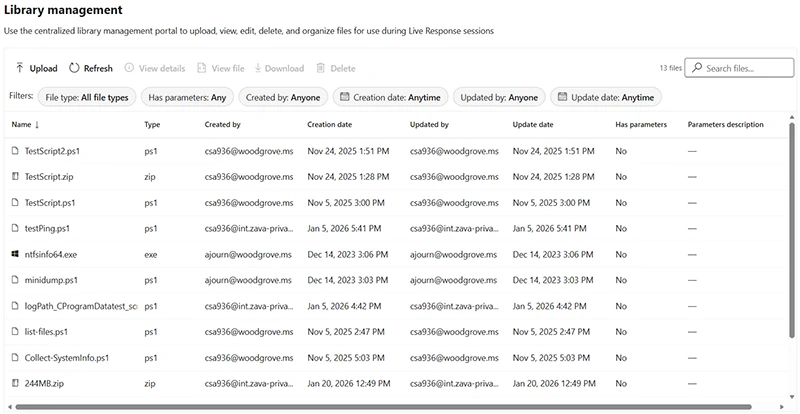
The library management interface allows analysts to organize their investigation tools and manage everything without waiting for an active session.
“This enhancement in Defender’s live response tooling improves operational readiness, enhances visibility and control, and helps streamline response workflows across SOC teams,” Ami Barayev, Principal Product Manager at Microsoft, said.
Hardening incident response workflows
Through centralized script and file management, security teams can upload, manage, and clean up their entire collection of live response scripts and files that are not part of an active investigation.
PowerShell scripts, batch files, and other response tools can be uploaded in advance so they are immediately accessible when needed during an investigation.
To validate logic and confirm functionality before execution, analysts can review script contents within Defender user interface.
Keeping the library relevant and audit-friendly is achieved by deleting outdated and redundant scripts.
Microsoft Security Copilot automatically analyzes scripts in the library and provides summarized behavior descriptions, security-relevant insights, and execution risk context to make it easier for analysts to assess what a script does before running it.
