
Chrome flags malicious commands that scammers pass off as fixes
Google is updating Chrome’s Enhanced Protection mode to detect scam websites and warn users when a page tricks them into copying a malicious command.
The company introduced Enhanced Protection for Chrome’s Safe Browsing feature in 2020 to address online scams and social engineering. Google says further updates have made its users ten times safer from phishing, social engineering, notification abuse, and other scams compared with those using Standard Protection. The figure is based on a comparison of the average number of safety warnings shown to users of the two modes.
Suspicious sites trigger new alerts
Suspicious site warnings alert users when a page displays deceptive patterns associated with known malicious sites. Their format, icons, colors, and text are tailored to help users decide how to proceed.
“By tailoring the warning UI in this way, we are able to safely expand our coverage to display a higher volume of protective warnings,” Jasika Bawa, Group Product Manager for Chrome, explained.
Dangerous site warnings appear when a page is known to be malicious and poses a high risk of harm. These will continue to use Chrome’s full-page red warning screen.
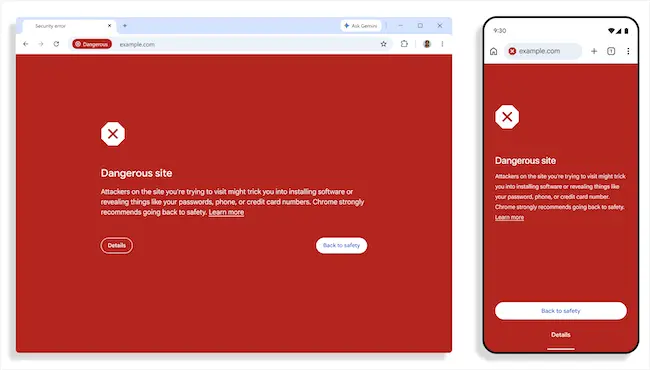
Dangerous site warnings in Chrome (Source: Google)
Gemini expands scam detection
Google has moved Chrome’s Gemini-powered scam detection from an on-device model to a server-side model for Enhanced Protection users. The feature now checks for fake antivirus and browser update scams in addition to tech support scams.
The model analyzes page content to assess indicators such as the brand being represented, the page’s intent, and the likelihood of a scam. Safe Browsing combines Gemini’s analysis with domain reputation and other security signals to reach a final verdict.
Google says page text is sent for analysis only when a site shows high-confidence scam indicators. The content is processed without being logged, retained, or used to train models.
New warnings target ClickFix scams
ClickFix scams instruct users to “fix” a fake problem by copying and running a malicious command on their computers. The copied command can differ from the one displayed on the page.
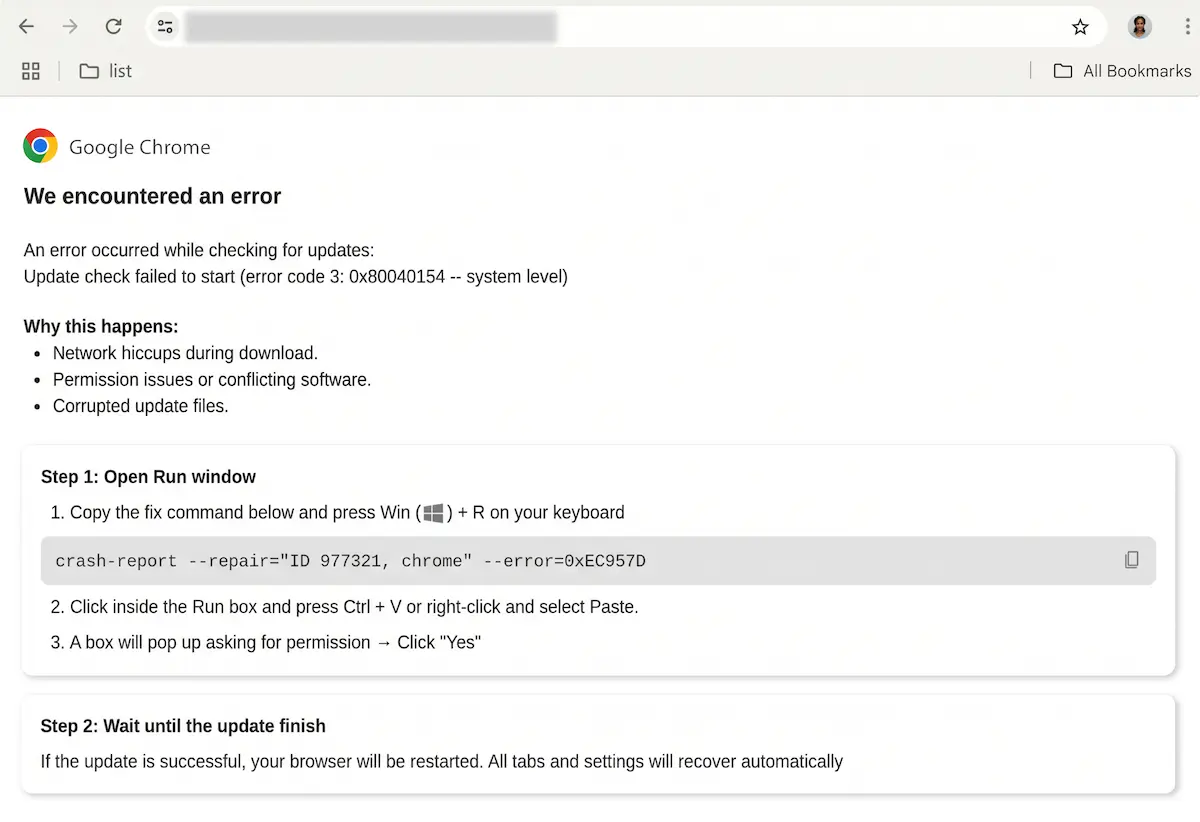
A ClickFix scam (Source: Google)
These commands often invoke living-off-the-land binaries (LOLBins), legitimate tools and executables preinstalled on an operating system, such as PowerShell and cmd.exe. Attackers repurpose them to download and install malware, conceal their activity, and take advantage of the trust security software places in them.
Moving the download process from the browser to the terminal allows attackers to bypass Chrome and Safe Browsing download protections.
When Enhanced Protection users copy suspicious commands, Chrome removes personally identifiable information (PII) from the clipboard payload and sends it to Safe Browsing for analysis. A warning appears if the command is deemed dangerous.
