
Apple Intelligence can now replace weak passwords without user intervention
Apple’s next generation of Apple Intelligence, the company’s personal intelligence system, expands its capabilities and introduces new security features in Passwords. …
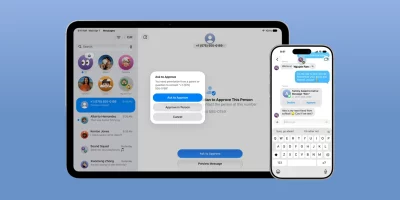
Apple expands what parents can block, approve, and limit
Apple has previewed a set of new child safety features coming to iPhone, iPad, and the Mac later this year, expanding parental controls with tools that help families manage …
Product showcase: Bitdefender Mobile Security for iOS protects privacy where scams begin
Bitdefender Mobile Security for iOS is a security and privacy application for iPhone and iPad that helps protect against phishing attempts, online scams, unsafe websites, and …

Product showcase: SimpleX Chat removes user identifiers from messaging
SimpleX Chat is a free, private, open-source messenger that uses encryption and does not require user identifiers. It is available on mobile and desktop platforms, including …

Apple fixes iPhone bug that let FBI retrieve deleted Signal messages(CVE-2026-28950)
Apple has rolled out security updates for iPhones and iPads that fix CVE-2026-28950, a logging issue in Notification Services that made devices unexpectedly retain …

Gmail’s end-to-end encryption comes to mobile, no extra apps required
Google has expanded Gmail client-side encryption to Android and iOS devices, allowing users to engage with their organization’s most sensitive data on mobile devices while …
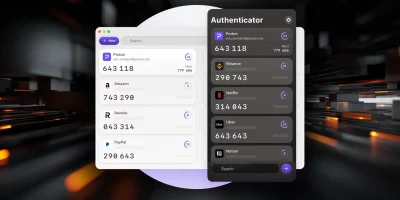
Product showcase: Proton Authenticator is an end-to-end encrypted, open source 2FA app
Proton Authenticator is a free and open-source two-factor authentication (2FA) app that generates time-based one-time passwords (TOTP) to help secure online accounts. It is …

DarkSword exploit forces Apple to loosen its patching policy
Apple has extended security updates to a wider range of devices still running iOS 18, aiming to protect users from the DarkSword exploit kit. This is not the first time Apple …

DarkSword: Researchers uncover another iOS exploit kit
A powerful iPhone hacking toolkit dubbed “DarkSword” has been used since November 2025 to compromise devices by exploiting zero-day iOS vulnerabilities, Google …

Apple starts issuing lightweight security updates between software releases
Apple is delivering small security updates, called Background Security Improvements, starting with iOS 26.1, iPadOS 26.1, and macOS 26.1. Apple describes Background Security …
Coruna: Spy-grade iOS exploit kit powering financial crime
A powerful iOS exploit kit has circulated among multiple threat actors over the past year, moving from a commercial surveillance operation to state-linked espionage campaigns …

NATO greenlights iPhone and iPad for classified information handling
Apple confirmed that the iPhone and iPad have been approved for use with classified information in NATO restricted environments. The devices will no longer require special …
Featured news
Resources
Don't miss
- PHP2Shell: Critical PHP vulnerabilities patched, update now!
- Ransomware gangs have been exploiting Palo Alto GlobalProtect VPN flaw since June
- Info-stealing malware slipped into OVHcloud CLI releases on GitHub
- Privacy-preserving AI can protect your heart data, the bill is the problem
- DevGuard: Open-source vulnerability management for the software supply chain